

Original product information
About this product
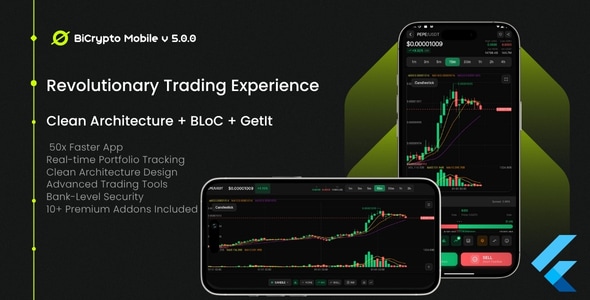
The Ultimate Cryptocurrency Trading App Built with Enterprise-Grade Architecture️
Clean Architecture + BLoC + GetIt = Unmatched Performance & Scalability ⚡ 3.2x Faster • 60% Less Memory • 85% Faster Transitions • 50ms Order Execution Professional codebase that’s modular, testable, and a joy to customize 10+ PREMIUM ADDONS INCLUDED No hidden fees • No subscriptions • Everything unlocked AI Trading • P2P • Futures • Staking • E-commerce & MoreDEMO CREDENTIALS
✨ Test the App Instantly! ✨
Use these credentials to explore all features: Email: demo@demo.com Password: @Demo123 ✓ Full access to all features ✓ Test trading, wallets, P2P, and more ✓ Explore all premium addons ✓ No registration required Demo APP Pro Tip: These credentials work on the mobile app only! For web go to the web version here. Perfect for testing before customizing your own instance.5-MINUTE AUTOMATED SETUP
✨ Magical One-Click Installer Included! ✨
No technical expertise needed! Our intelligent installer handles EVERYTHING: ✓ Checks & installs Flutter, Dart, Git automatically ✓ Interactive configuration wizard (just answer simple questions) ✓ Sets up your custom app icon & branding ✓ Configures Android, iOS, and Web platforms ✓ Generates all required code & dependencies ✓ Can even build your app ready for release!Windows
Double-click:install.bat
macOS
Double-click:install.command
Location: setup/installers/
Just navigate to this folder and double-click your platform’s installer!
From download to running app in 5 minutes!
No command line needed • No manual configuration • No headaches
What’s Inside the /setup Directory?
setup/
├── installers/                One-Click Magic!
│   ├── install.bat          → Windows installer
│   ├── install.command      → macOS installer
│   └── install.sh          → macOS/Linux installer
│
└── docs/                     Complete Documentation
    ├── README_CODECANYON.md      → Start here!
    ├── INSTALLATION_GUIDE.md     → Detailed setup
    ├── CONFIGURATION_GUIDE.md    → Config options
    ├── APP_ICON_GUIDE.md        → Icon customization
    ├── APP_NAME_CONFIGURATION.md → Naming guide
    └── ORIENTATION_MANAGEMENT.md → Screen orientation
Zero-Configuration Setup
The installer asks simple questions like:- What’s your backend URL?
- What do you want to name your app?
- Do you have a custom icon?
✨ What Gets Configured?
- ✓ Backend API connection
- ✓ WebSocket URLs
- ✓ App name everywhere
- ✓ Custom app icon
- ✓ All dependencies
- ✓ Platform-specific settings
When You Unzip the Package
You’ll immediately see: INSTALLATION_GUIDE.html Beautiful visual guide that opens in your browser with step-by-step instructions & screenshots Just double-click it to start your journey!Get the Web Script 👇
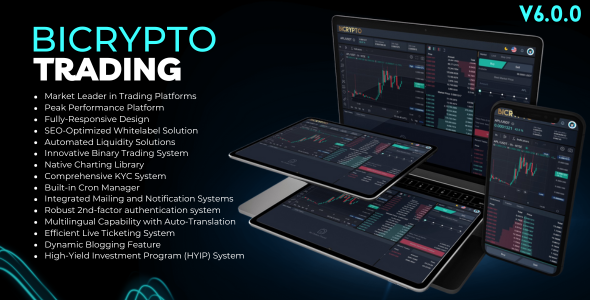
Bicrypto - Crypto Trading Platform Script v6.1.2
Who it may suit
Details not provided yet.
What’s included
Details not provided yet.
Before you decide
Details not provided yet.
Customer reviews
— out of 5 0 reviews
Loading reviews…
Comments
Loading comments…